
Canva: AI Photo & Video Editor
Art & Design
About this app
Name
Canva: AI Photo & Video Editor
Category
Art & Design
Price
Free
Safety
100% Safe
Developer
Canva
Download
500M+
Screenshots







Application Overview
Canva is an all-in-one design platform that combines photo editing, video creation, and graphic design into a single app. With its intuitive interface, even beginners can produce professional-quality content without prior design experience.
Main Features
The app boasts a wide range of features tailored to meet various creative needs:
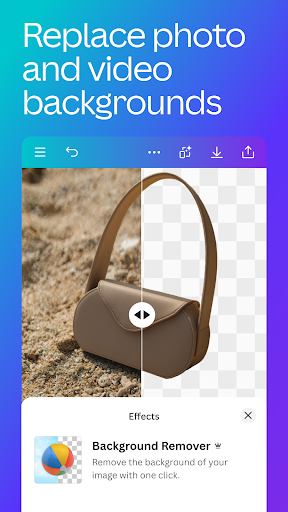
- Photo Editing: Adjust brightness, contrast, saturation, and apply aesthetic filters like Retro, Pixelate, and Liquify. The Auto Focus tool sharpens subjects while blurring backgrounds.
- Video Editing: Create professional videos with one-tap animations, transitions, and effects such as slow motion and reverse playback. Sync edits to music using Beat Sync and translate captions into over 100 languages.
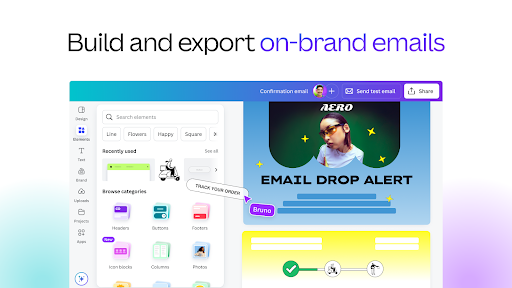
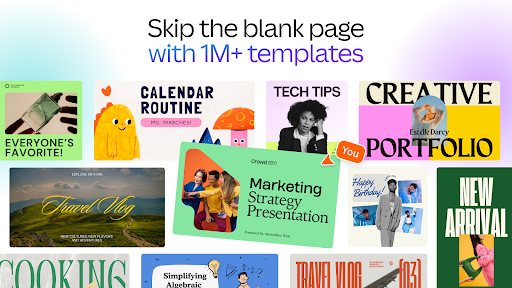
- Templates: Access thousands of customizable templates for social media posts, invitations, flyers, and presentations.
- Collage Maker: Design eye-catching photo grids and collages with ease.
- Stock Library: Utilize over 2 million royalty-free images, stock videos, and pre-licensed audio tracks.
- Real-Time Collaboration: Work seamlessly with teams across devices.
Pros and Cons
Pros:
- User-friendly interface suitable for beginners and professionals alike.
- Extensive library of templates and assets.
- Powerful AI tools for quick and realistic video creation.
- Supports real-time collaboration for team projects.
Cons:
- Some advanced features and assets require a subscription to Canva Pro.
- Occasional lag when handling large files or complex designs.
Conclusion
Canva: AI Photo & Video Editor is a powerful yet accessible tool for anyone looking to enhance their creative projects. Its combination of simplicity and functionality makes it a top choice for designers and non-designers alike. Download it today to unlock your creative potential!


