
Nintendo Switch Parental Cont…
About this app
Screenshots


Application Overview
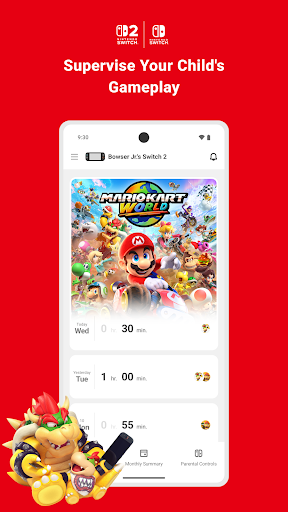
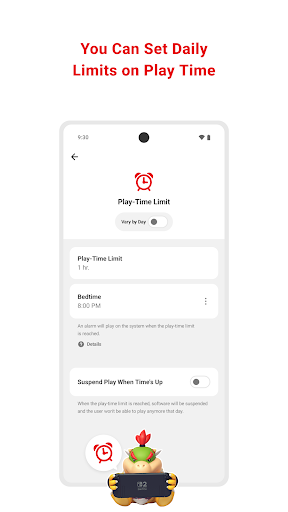
The Nintendo Switch Parental Controls app allows parents to remotely manage their child’s gaming habits directly from their smartphone. By linking the app to a Nintendo Account, parents can access detailed reports and customize restrictions tailored to their child’s needs. Whether it’s limiting screen time or ensuring age-appropriate content, this app has you covered.
Key Features
- Game Time Management: Set daily or weekly playtime limits. Once the limit is reached, the console can either notify the user or automatically suspend gameplay.
- Activity Monitoring: View summaries of games played, including titles and duration. Monthly reports provide insights into your child’s gaming preferences.
- Content Restrictions: Block access to games based on age ratings and disable specific features like in-game chat or video calls.
- Remote Control: Pause gameplay or turn off the console remotely through the app.
Pros and Cons
Advantages:
- User-friendly interface makes setup and management straightforward.
- Comprehensive controls cater to different age groups and parenting styles.
- Monthly activity summaries help track long-term gaming trends.
Disadvantages:
- Some advanced features are only available on newer Switch models.
- Requires a stable internet connection for real-time updates and remote control.
- Certain settings may need frequent adjustments as children grow older.
Conclusion
Nintendo Switch Parental Controls offers essential tools for modern families looking to balance fun and responsibility. With its robust feature set and intuitive design, it empowers parents to guide their children’s gaming experiences effectively. Whether you’re concerned about screen time or inappropriate content, this app ensures a safer and more structured gaming environment.


