
Microsoft Word: Edit Documents
About this app
Screenshots





Application Overview
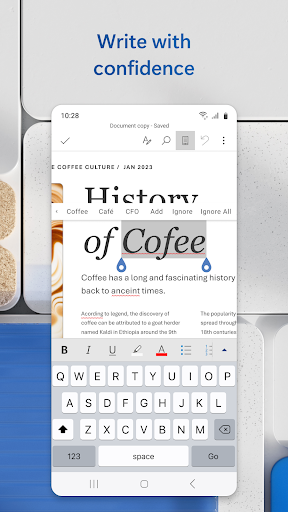
Microsoft Word: Edit Documents offers a user-friendly interface that mirrors the desktop experience, ensuring a seamless transition for existing users. The app supports a wide range of document formats, including DOC, DOCX, PDF, and TXT, allowing users to open and edit files from various sources without compatibility issues. Whether you're drafting a report, designing a resume, or collaborating on a project, this app provides all the tools you need to produce high-quality work.
Key Features
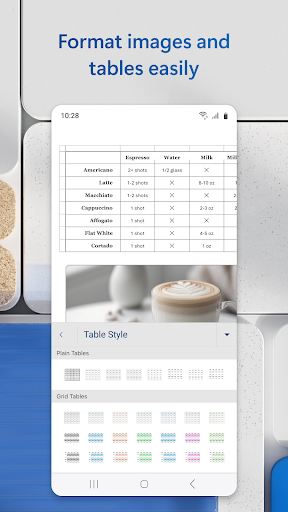
The app includes robust features such as advanced text formatting, spell check, grammar suggestions, and the ability to insert images, tables, and charts. It also integrates with cloud services like OneDrive and SharePoint, enabling real-time collaboration and secure file sharing. Additionally, the app supports offline editing, ensuring productivity even without an internet connection. With its AI-powered Assistant, users can generate content, rewrite text, and receive contextual suggestions to enhance their documents.
Pros and Cons
Pros: The app is highly versatile, offering a comprehensive set of tools that cater to both basic and advanced users. Its intuitive design and cross-platform synchronization make it easy to use across devices. The integration with Microsoft 365 enhances its functionality, providing access to premium features like advanced templates and real-time collaboration.
Cons: Some advanced features require a Microsoft 365 subscription, which may deter budget-conscious users. Additionally, while the app performs well on modern devices, older smartphones may experience lag due to its resource-intensive nature.
Overall, Microsoft Word: Edit Documents is a reliable and feature-rich app that empowers users to create and manage documents with ease. Its combination of accessibility, functionality, and innovation makes it a top choice for mobile productivity.


