
Yahoo Mail
Communication
About this app
Name
Yahoo Mail
Category
Communication
Price
Free
Safety
100% Safe
Developer
Yahoo
Download
100M+
Screenshots






Application Overview
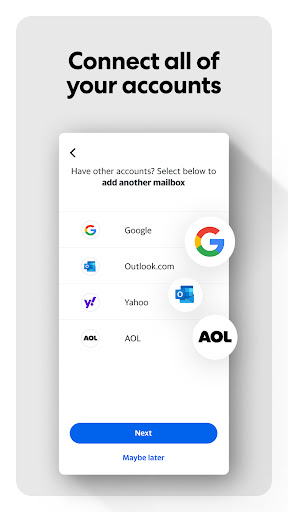
Yahoo Mail provides users with a robust platform to handle emails from multiple accounts, including Gmail, Outlook, and more. With its intuitive interface and customizable options, it caters to a wide range of users, from casual email checkers to professionals managing heavy workloads.
Key Features
- Unified Inbox: Manage all your email accounts in one place, simplifying the process of checking and responding to emails.
- 1TB Free Storage: Enjoy ample space to store emails, attachments, and documents without worrying about running out of room.
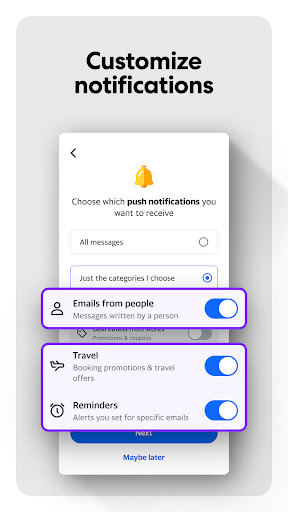
- Instant Notifications: Receive real-time alerts for new emails, ensuring you never miss an important message.
- Smart Organization: Automatically categorize emails into folders like receipts, attachments, and promotions for easy access.
- Customizable Themes: Personalize your inbox with various themes, colors, and layouts to suit your preferences.
- Accessibility Features: High contrast themes, dynamic text resizing, and VoiceOver compatibility make the app inclusive for all users.
Pros and Cons
Pros:
- Massive storage capacity ensures long-term email retention.
- Supports multiple email platforms, offering flexibility for users.
- User-friendly design with powerful organizational tools.
- Regular updates improve functionality and security.
Cons:
- Some advanced features may require a learning curve for new users.
- Advertisements within the free version can be distracting.
Conclusion
Yahoo Mail stands out as a reliable and feature-packed email app suitable for diverse user needs. Its combination of smart organization tools, generous storage, and accessibility features makes it a top choice for Android users. Whether you're managing personal correspondence or professional tasks, Yahoo Mail delivers a streamlined and efficient experience.


