
VLC for Android
About this app
Screenshots


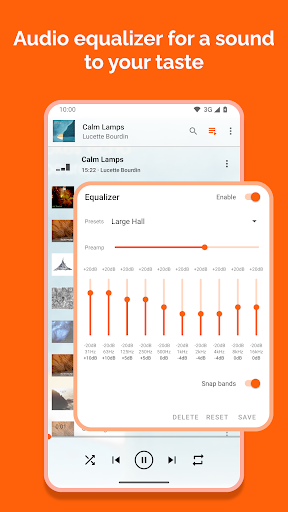


Application Overview
VLC for Android is developed by VideoLAN, a well-known organization in the multimedia industry. This app supports nearly all audio and video formats without requiring additional codecs, making it a one-stop solution for media playback on Android devices. It is compatible with a wide range of Android versions and hardware architectures, ensuring broad accessibility.
Key Features
- Comprehensive Format Support: The app plays virtually any file format, including MP4, AVI, MKV, and FLV, as well as audio formats like MP3, AAC, and FLAC.
- Network Streaming: Users can stream content from HTTP, RTSP, and MMS protocols, enabling seamless playback of online media.
- Subtitle Management: It supports embedded and external subtitles, with customizable styles and positioning for enhanced viewing.
- Hardware Acceleration: Optimized for performance, VLC leverages hardware decoding to deliver smooth playback, even for high-resolution videos.
- User-Friendly Interface: The app features an intuitive design, allowing users to easily browse and manage their media files.
Pros and Cons
Advantages
- Supports an extensive range of file formats without additional plugins.
- Free to use with no ads or in-app purchases.
- Regular updates ensure compatibility with new Android versions and devices.
- Lightweight and efficient, minimizing resource consumption.
Disadvantages
- Some advanced features may be challenging for beginners to configure.
- Occasional performance issues on older or low-end devices due to hardware limitations.
Conclusion
VLC for Android stands out as a reliable and feature-rich media player, catering to both casual users and tech enthusiasts. Its ability to handle diverse formats, coupled with its open-source nature, makes it a top choice for Android users seeking a robust media playback solution. Whether you're watching local files or streaming online content, VLC delivers a seamless experience across devices.


